
experimentation analytics for CRO teams

no SQL required, B.Y.O.BQ or set it up automatically with a few clicks
how Katsed will make your life easier
Bypass GA4 limitations
such as sampling, thresholding, user count estimation, quotas, and the confusing UI
Avoid being locked into a specific AB testing tool
Katsed works with any tool that can send exposure events to GA4
Analyze experiments and add metrics retroactively
Forgot to add a metric to your test? No need to re-run it, just add the metric in Katsed
Use a consistent unified process
for experiment planning and analysis, across clients and testing tools
Expand your testing capabilities
beyond the limits of your testing platform pricing tier
Stop copying and pasting between tools
Work with your data where it already lives: in the data warehouse
Stop maintaining parallel tracking setups
There's no need to duplicate and maintain analytics tracking in your testing tool
You never have to look at the BQ console
Katsed builds and runs the queries for you with just a couple clicks so you can pretend the BQ console doesn't exist
No black box stats engines
Testing tools use stats as a marketing gimmick when it should be standard and transparent
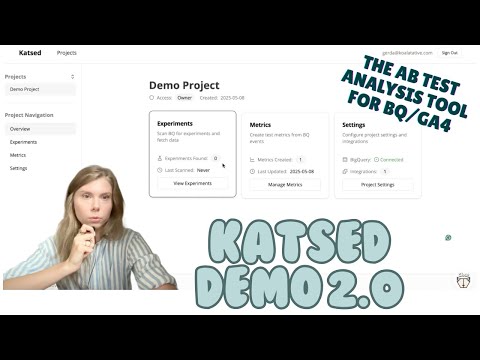
see Katsed in action

how it works
Plan your test
Select the page where you'll run the experiment and the primary metric, and Katsed will tell you the needed sample size and runtime
Build and launch
In your testing tool, set up and start the experiment the way you normally do, ensuring that the GA4 integration is active.
Analyze and report
Katsed will detect the experiment data in BQ automatically. Add your metrics and Katsed will show you the results, stats, and charts.
how the data flows
Testing Tool → GA4
Your A/B testing tool (Optimizely, VWO, Convert, etc.) sends experiment and variant exposure events to GA4
GA4 → BigQuery
GA4 automatically exports its raw event data to BigQuery, giving you complete, unsampled access to every experiment interaction. If the export isn't already active, Katsed can set it up automatically with just a few clicks.
BigQuery → Katsed
Katsed connects securely to your BigQuery project and automatically detects experiments, pulling in all relevant event and metric data. No manual SQL or data wrangling required.
pricing and such
Starter
no credit card required
- automatic GA4/BQ setup
- 1 planning scenario for 3 pages
- analyze 3 experiments
FREE
Professional
unlimited for one GA4 property
- unlimited users
- unlimited experiments
- unlimited test planning
$99 / mo
Managed
we've got your back
- need some help with setup, planning, analysis?
- no problem, reach out and we'll make you an offer so good you'll want to swat it off the table
features you'll love
Automatic BigQuery setup
Katsed will create a Google Cloud / BigQuery Project for you and link it to your GA4 property with just a few clicks.
Reusable metrics library
Define your metrics once, and reuse them everywhere in the app.
Testing bandwidth calculator
Map out your key pages, choose your metrics, set your parameters, and Katsed will pull the data and tell you the needed sample size and runtime.
Scan for experiments
Katsed will find your current and past experiments in BigQuery. No need to copy and paste the experiment IDs.
Fetch experiment data and analyze results
Select your metrics, optionally add filters and narrow the date range, and Katsed will run an optimized query, compile the results, calculate the stats, and generate the charts.
Query size and cost estimation
See how much data will be processed and the estimated cost if you excceed BigQuery's generous free tier, before you run a single query.

Any tool that can send experiment and variant exposure events to GA4. If we don't already have an integration in our system we can add it quickly.
Keeping your metrics up-to-date in your testing tool requires maintenance. You’re already investing in a web analytics setup, so why invest in maintaining a 2nd source of truth that doesn’t align with analytics at the best of times?
Everything needs to be set up before the test starts. Forgot to add a metric? You’ll have to start over.
Many testing tools use a proprietary “stats engine” which is basically a black box where you don’t get to know what happens under the hood - for example using data from other accounts and tests to analyze YOUR test. Stats should be transparent, not a marketing gimmick.
Testing tools are incentivized to paint a rosy picture for you so that you’ll feel good about using them and keep doing it. So they tend to oversimplify everything. They tell you that you don’t need to worry about test planning or peeking and you can just trust them to call a winner.
This is a step in the right direction, and most AB testing tools make it easy to send the test data to GA4. But there are some serious limitations:
It doesn’t give you the raw data. Even if you manage to avoid things like sampling and thresholding, all user and session counts in GA4 (which you need to analyze AB tests) are based on estimates. This might not seem like a big deal, but in practice it could cause you to make the wrong decision on 30% of your experiments.
You have to set up a new exploration with new segments for every single test. GA4 is notoriously annoying to use so this process is tedious and clunky.
GA4 explorations are meant for more technical users. You’re always working at the level of events and parameters rather than plain English metric names that everyone can understand. So instead of “Demo Form Submitted” it’s something like “event name = generate_lead" and "lead_type = demo”.
If you’re comfortable writing a new SQL query for every test, you understand how to structure your queries to get experiment data efficiently, and you feel at home in the BQ console, then you don’t really need Katsed. But, it will still make your life easier by simplifying all these parts of your workflow:
Scan BQ for experiments with 1 click
Set up and name your metrics once (based on GA4 events) and reuse them for all experiments in your project
Fetch updated test results from BQ with stats calculated for you
Have all of your test data in one place
You can do all of this without knowing a thing about SQL, the GA4 dataset schema, or even looking at the BQ console, so you can spend less time querying and more time analyzing and iterating on tests.
An AB testing tool installed on your website and configured to send data to GA4
A Google account with edit access to your GA4 property
That's it! If you don't have the GA4 / BigQuery link set up yet, Katsed will do it for you automatically. It will also create the BigQuery project if needed.
The free tier is quite generous. In our experience even fairly high traffic sites can stay within it, and if they exceed the cost is still quite low, like maybe a few cents per query. It's super easy to set up cost controls in BQ to prevent any surprise bills and BQ is now rolling this out by default.
In Katsed you can switch on query estimates, which will tell you the potential cost of any action that results in processing BigQuery data before it actually runs.
Katsed only stores aggregated, anonymous data. The data processing happens within BigQuery where your data stays. Katsed only fetches and stores the following:
A list of GA4 event names, parameter names, and the top 100 parameter values are fetched for defining metrics and filters. PII already needs to be excluded from GA4, but even if some personal information made its way in there accidentally it wouldn't be fetched by Katsed.
Daily user and conversion counts for each variant and metric combination are fetched for experiment planning and analysis. User IDs are not fetched or stored and there is no user-level analysis.
See our privacy policy and terms and conditions for more details.

Please sign in to access your experiments and metrics.
Don't have an account yet? Sign up for free